Your boards now follow you across devices
Your Kortlist boards now follow you across every device you're signed in on. Edit on your laptop, pick up on your phone — no copy-pasting, no saving, nothing to lose track of.
Up until now, a Kortlist board lived in exactly one browser on exactly one device. Start a comparison on your laptop over lunch, switch to your phone on the train home, and you’d find — nothing. The board was still on the laptop, behaving itself, but it didn’t travel with you.
That’s changing today. Your boards now follow you. Edit a cell on your laptop and the same cell updates on your phone a second later. No save button, no refresh, no copy-pasting links to yourself.
What it looks like
A small cloud icon now sits next to every board title, and next to every board card on the home page. Green means everything’s up to date on every device you’re signed in on. A gentle pulse means a change is on its way.
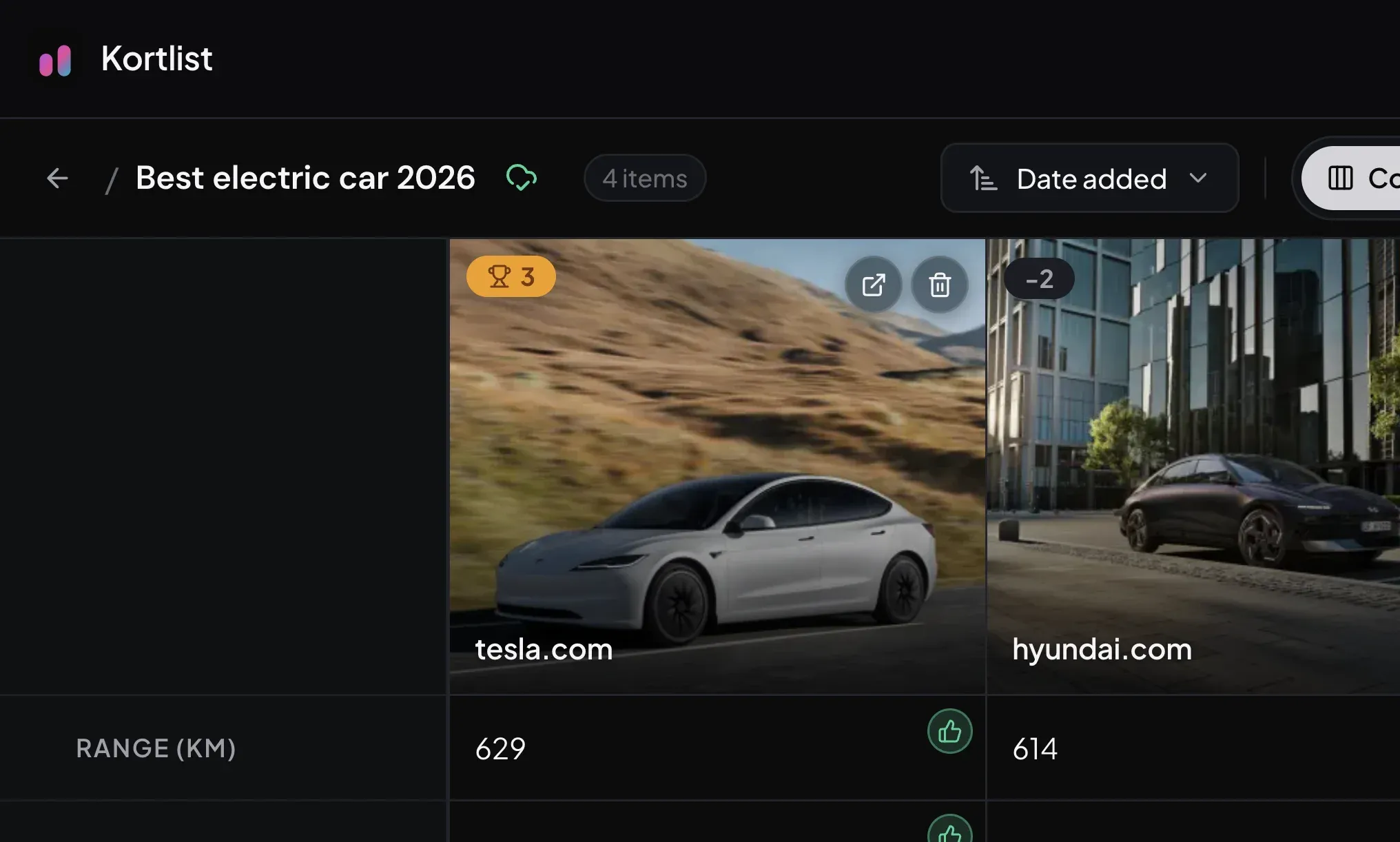
That’s the entire UI: one icon, no configuration, nothing to remember to press. Click it any time you want a quick status — last synced, anything pending — and that’s it.
Pick up where you left off
The simplest version of the pitch: whichever device is in your hand becomes the one with the latest version of your board.
- Add a candidate on your laptop in the morning, score it from your phone on the bus.
- Show a board to a friend on their tablet, then keep editing later from your desktop without losing what they added.
- Tweak a column on your phone and have it ready when you sit back down.
Edits appear instantly on the screen you made them on, and a moment later on every other screen. The board you see is always the board your other devices see.
Offline still works
Lose connection on the train? Keep editing. Kortlist still saves every change locally, instantly — exactly like it always has. The cloud icon quietly holds your changes and sends them up the moment you’re back online. Close the tab before that happens? Still fine. The changes survive, and they go out the next time you open Kortlist.
Your boards stay yours
Synced boards are private to your account. Nobody else can see them, and you can’t see anyone else’s. There’s no shared-board feature in this release — every synced board is still single-user. (That’s a deliberate stepping stone — proper collaboration is the next thing on the list.)
Getting it on your account
Sync is part of the monthly Kortlist plans. Both Base (€2/month) and Plus (€5/month) include it, along with each plan’s scan quota. Open Settings → Plan to subscribe; sync turns on automatically the moment the subscription is active. Click the cloud icon on any board before you’ve subscribed and you’ll see a short explainer with a direct link to the plans page.
Why behind a plan? Keeping your boards reliably backed up and in sync costs real money — and charging for it keeps the free tier genuinely free rather than silently limited. If you’re using Kortlist casually, nothing changes: your boards stay on-device exactly as they did before today.
What’s next
The obvious next step is collaboration — letting two people edit the same board and see each other’s changes land in real time. Sync was the foundation it needed. Expect an announcement soon.
Meanwhile, if your boards have been trapped in one browser for too long: head to app.kortlist.eu, open Settings, pick a plan, and watch the cloud icon go green. Your boards can finally leave the laptop.