
Compare boards together, in real time
Kortlist boards can now be opened together. Two people, two devices, the same items on screen — edits, scores, and scans flowing between you as they happen.
Comparison rarely happens alone. Picking a couch, a car, an apartment, a laptop for the team — somewhere in there, a second person needs to weigh in. Until today, the best Kortlist could offer was a snapshot link: a copy of your board, frozen in the URL, that the other person opened in their own browser. Useful for show-and-tell. Useless if either of you wanted to keep editing.
That changes today. A board can now be opened together. Two people on two devices, the same items on screen — a shared canvas that fills in as you both work.
What it feels like to use
Once a collaborator joins, you’re both in the same place. Add an item on your laptop and it appears on theirs a second later. They re-order a column on their phone and your screen reflows. No more screenshots across Slack, no “wait, look at the version I just sent you” — there’s one board, and you’re both standing in front of it.
The board fills up faster, too. Two people researching means two people pasting URLs, scanning specs, and stacking up rows. An evening of comparison shopping turns into a thirty-minute conversation.
What’s shared, what stays yours
A few things are deliberately personal — because comparison is more useful when you can disagree:
- Your scores are yours. The board layout is shared; the opinions aren’t. You each thumb up and thumb down independently, you each run your own play-compare matches, and you each keep your own ranking. You don’t have to agree to be useful to each other. (Combined, averaged, and side-by-side score views are coming soon.)
- Scans come out of each person’s pocket. When a collaborator pastes a URL and clicks Scan, the scan comes from their monthly allowance — never yours. A free collaborator can join a paid user’s board and scan with their own free-tier scans. Nobody pays for someone else’s curiosity.
Everything else — items, columns, parameters, ordering, names — is shared. The board is one canvas; the verdicts are personal.
How to invite someone
Open any board → Share → the dialog now has a third tab next to Link and Embed, called Collaborate:
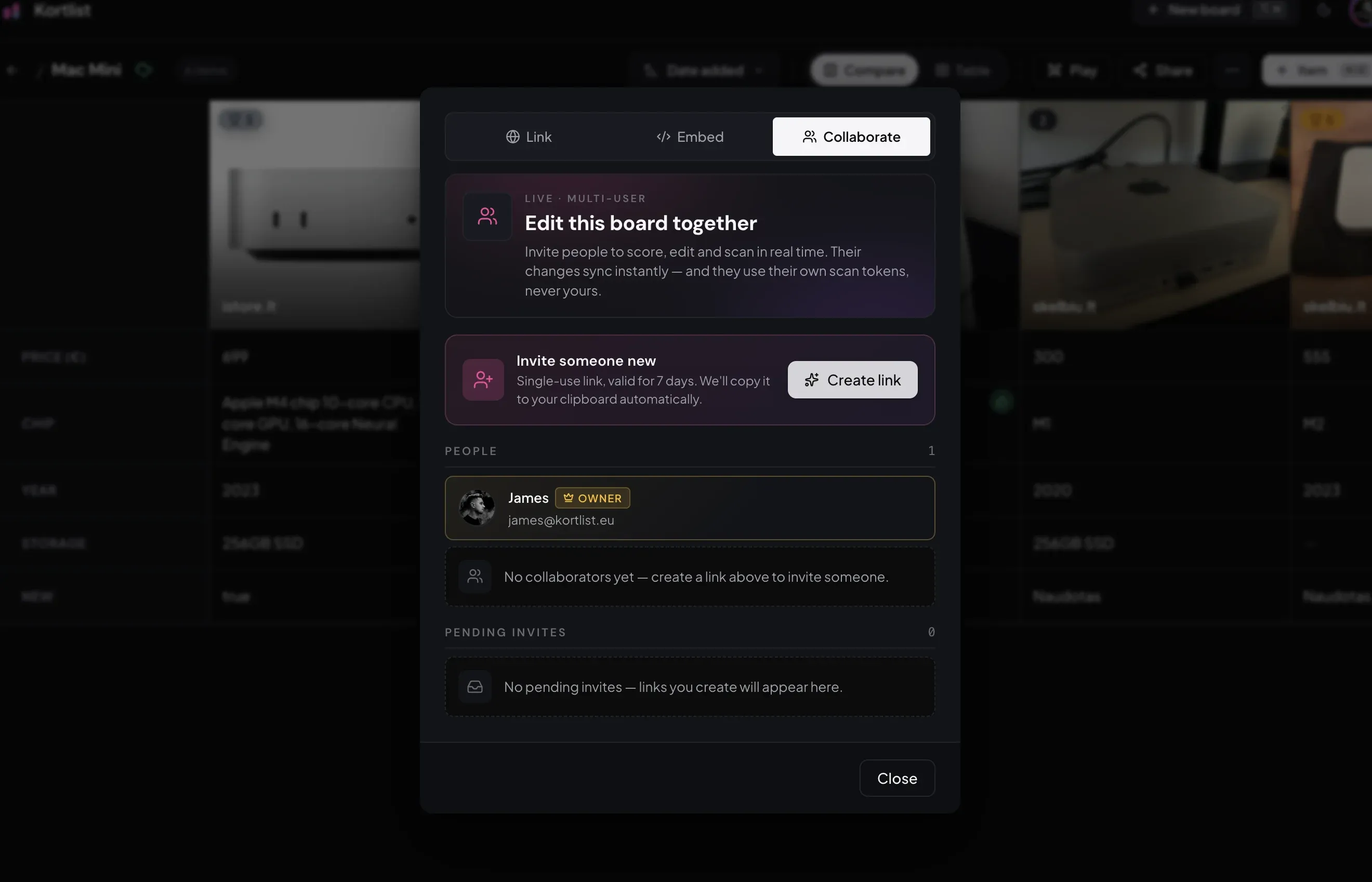
Click Create link and Kortlist hands you an invite link, copied to your clipboard. Send it however you like — Slack, email, a message across the room. The other person opens it, signs in if they aren’t already, and the board appears on their side.
The same dialog is where you manage who’s on the board: active collaborators sit under People, outstanding invites under Pending invites, both with one-click remove.
The plan side of things
Collaboration is part of the Kortlist Base (€2/month) and Plus (€5/month) plans. The board owner needs an active subscription to invite people — joiners don’t. Anyone with a Kortlist account can accept an invite for free and keep collaborating for as long as the owner’s plan is active.
What’s next
Two things are queued up after today:
- Score views. Combine, average, or compare per-collaborator scores — useful when you want one ranking out of two opinions.
- More than two people. Today’s experience is tuned for a pair, but groups of three or four are next.
If a board has been waiting for a second pair of eyes, head to app.kortlist.eu, open Share → Collaborate, and create a link. Compare together.