
Introducing Kortlist: weigh anything against anything
A tour of Kortlist — an offline-first comparison board for decisions. What it does, how to use it, and three live boards you can score yourself.
You have seven tabs open. One product page per candidate, a spreadsheet trying to corral them, a Google Doc half-full of pros and cons, and a chat window where you’re rubber-ducking the whole thing at a friend. Nothing quite lines up, and the decision keeps slipping. Kortlist is a small tool for this exact moment — the moment where you need a grid, a score, and an answer.
What Kortlist is
Kortlist is a comparison board that runs in your browser. You make a grid: options down one axis, the things that matter down the other. You fill it in, score what you care about, and decide. That’s it.
It’s offline-first. Every board lives in IndexedDB on your device — not on a server. There’s no sign-up, no account, nothing in the way. You open the page and you can use it.
It’s small. The whole web app is under a megabyte of compressed JavaScript, so it opens fast the first time and instantly the second. Install it as a Progressive Web App and you have it on your dock next to Notes.
And it’s shareable. A whole board compresses into a URL — no database, no invite flow. You paste the link into a chat and whoever opens it gets their own local copy they can edit.
Build a board in a minute
Here’s a board I made while comparing four electric cars. Four items, four parameters, a few thumbs. You can score it yourself — the boards below are live, not screenshots.
The workflow is three steps:
- Name the board. “Best electric car 2026”, “New camera”, “What to cook Saturday.”
- Add parameters. The things you care about become the columns of the grid — “Range”, “0–100”, “Price”, “Boot space”.
- Add items. The things you’re comparing become the rows. Paste a product URL and Kortlist keeps it as a clickable reference.
Then you fill in the cells. Numbers, text, whatever. Two to three minutes end-to-end. From there, the interesting work starts.
Score what matters
Every cell has a thumb: up, down, or nothing. That’s the whole scoring language. No stars out of five, no percentages, no weighting sliders. Just: is this good, or bad, for me, right now?
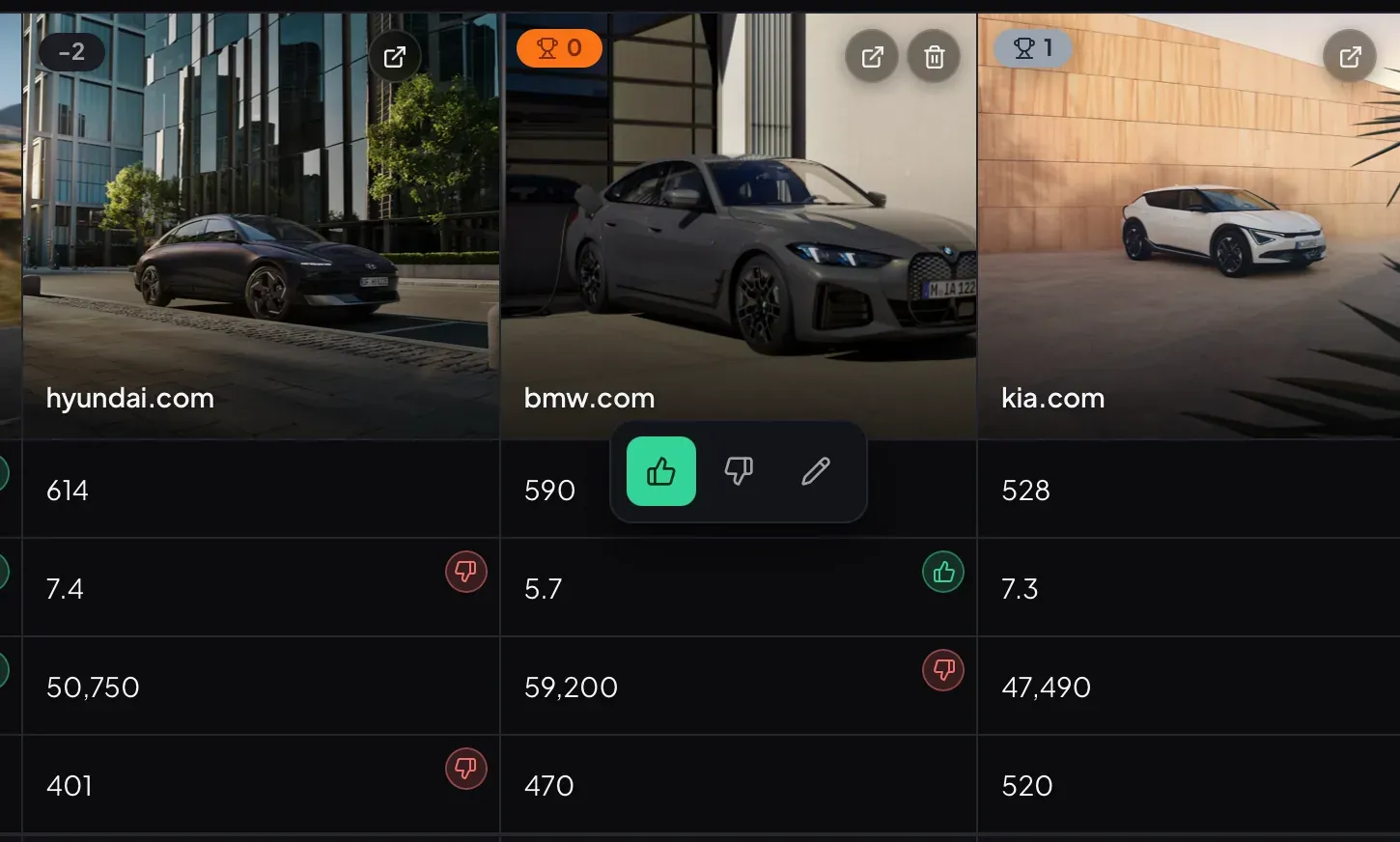
The simplicity is deliberate. Five-star ratings degenerate into a sea of 3.5s; weighted scoring tempts you to hide indecision behind math. A thumb either way is a decision you’ve made. The board adds them up and the winner emerges from the sum.
You can score different things on the same board. Range matters to you more than boot space? Just don’t thumb the boot column. The winner — the row with the most positive balance — floats to the top of the sort.
Break ties with PlayCompare
Sometimes two options finish level on thumbs. Or you have a gut feeling the math is missing something. PlayCompare is Kortlist’s tie-breaker: a one-on-one tournament where every pair of items meets, and you pick the winner each time.
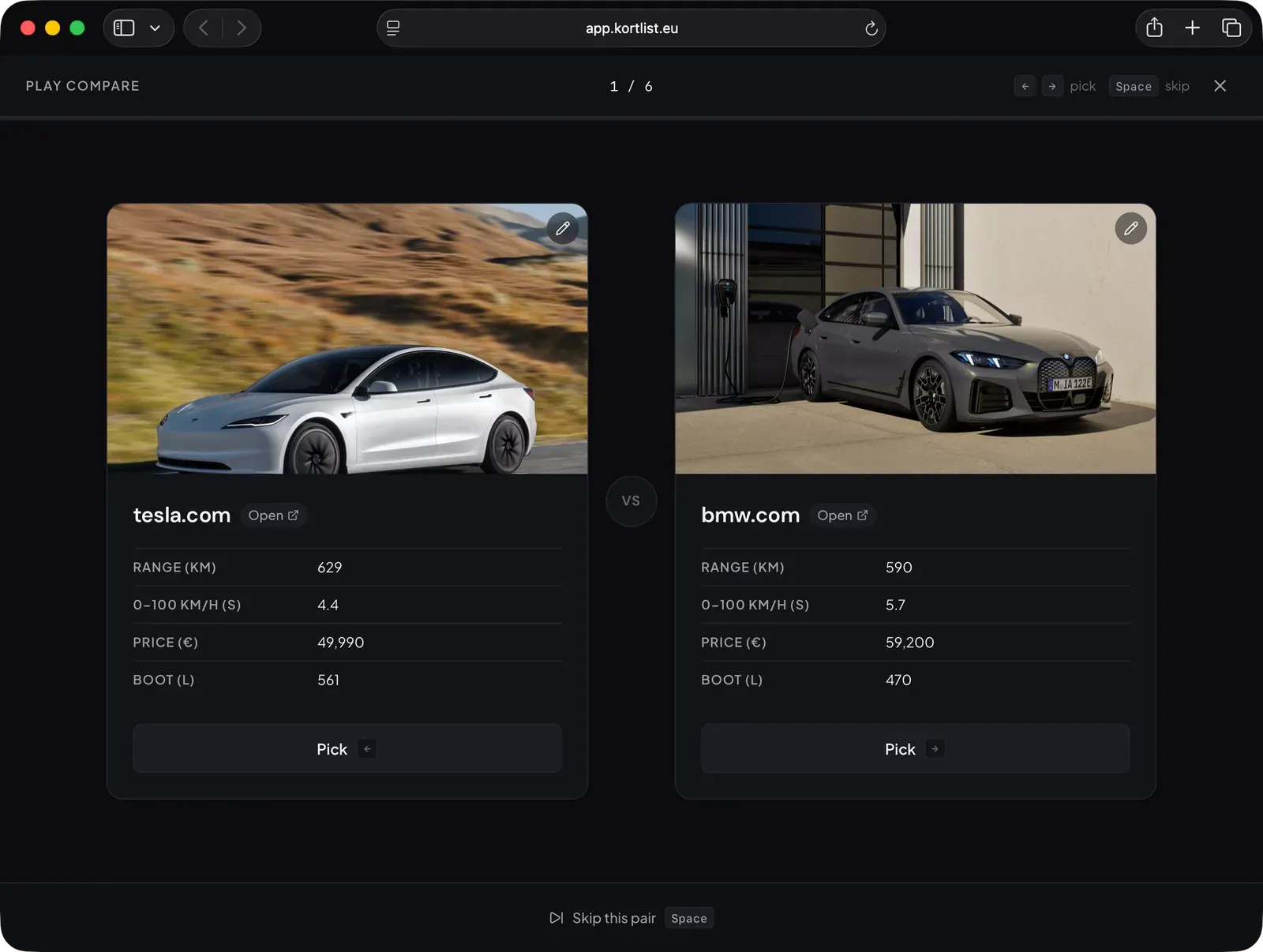
You don’t have to think about parameters. You just ask “would I rather have this one, or that one?” and Kortlist tallies. After the last matchup, a new score layers on top of the thumb total — a pure preference signal to go with the analytical one.
It’s the same trick that produces Elo ratings in chess. Small, forced, pairwise comparisons are surprisingly good at surfacing what you actually want, even when the cell-by-cell breakdown disagrees.
Share as a link
This is where Kortlist stops feeling like a calculator and starts feeling like a document.
Every board fits inside a URL. Click Share, copy the link, paste it wherever. When someone opens it, they see the same board you saw — items, columns, scores, thumbs. A fresh local copy, independent from yours.
Here’s an apartment-hunt board pre-populated with four Berlin options, already scored. You’re looking at a live copy rendered from the URL alone:
There’s no database backing this. No “Kortlist server” knows the board exists. If my domain goes offline tomorrow, your copy keeps working. That’s the offline-first promise extended to collaboration: the link isn’t a pointer to a remote resource — it is the resource.
When a friend tweaks the scores and sends the new link back, you get their version. No sync conflicts, because there’s nothing to sync.
Adding images to items
Screenshots help. A car with a photo next to its price reads very differently than a line of text.
Kortlist keeps images simple: it stores URLs, not uploads. There’s no storage bucket to manage and no “upload 1/4” progress bar. You paste a link to an image you found on the web, and Kortlist renders it.
The fastest way is on desktop:
- Right-click the image on the product page.
- Choose Copy image address (or Copy image link — the wording varies by browser).
- Paste it into the Primary image URL field when editing the item.
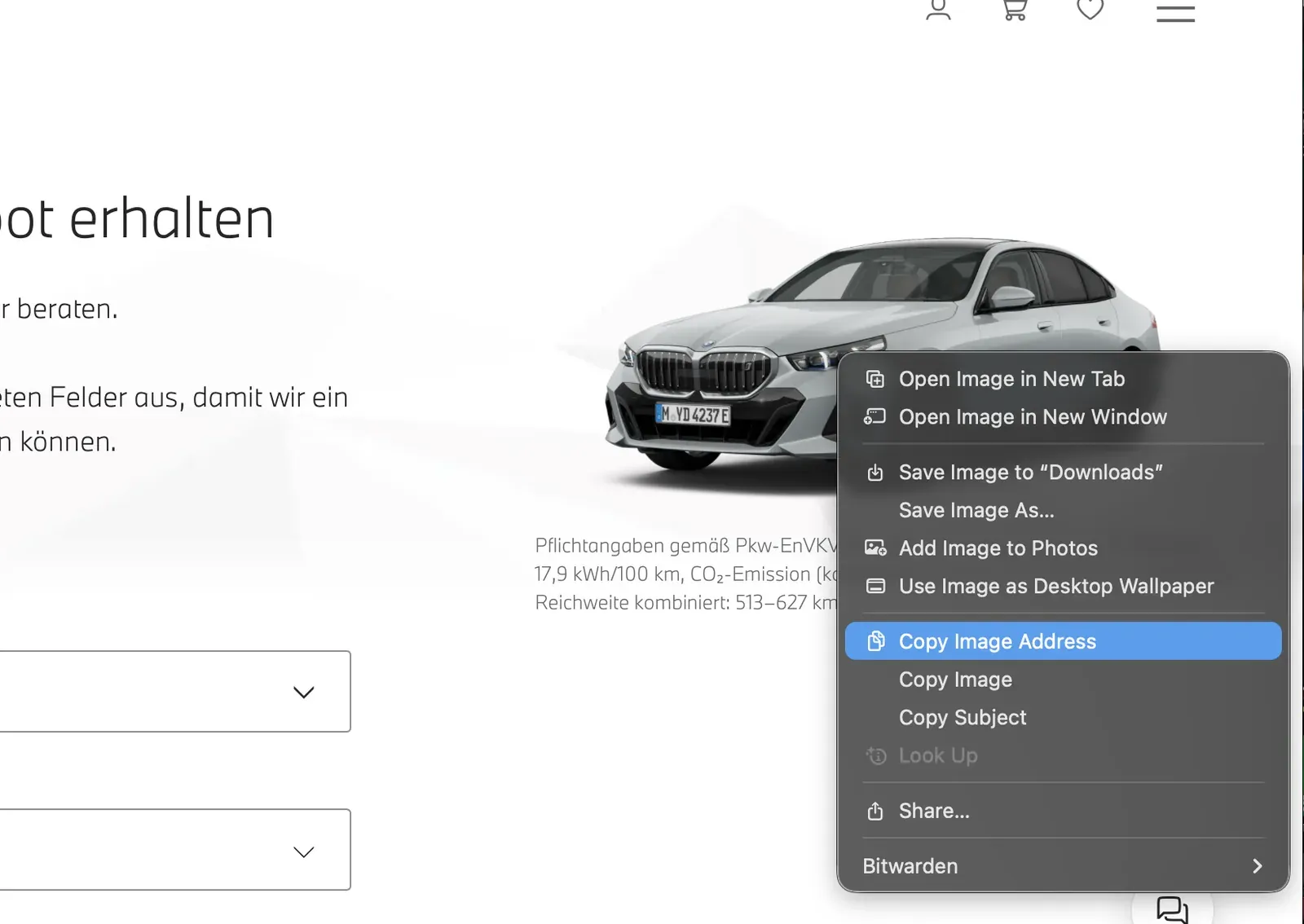
Most product pages expose a direct image URL you can grab this way. Phone browsers make the copy-image-address move fiddlier, so build the board once at a laptop and open it on your phone afterwards — thanks to the offline-first storage, the board you built at your desk is already waiting for you on mobile.
If a site serves its images through a CDN that blocks hotlinking, the image won’t render. That’s rare on manufacturer sites; a fallback is to save the image somewhere public (a GitHub gist, a personal cloud) and link it from there.
Your turn
Pick something you’re currently torn about. A camera, a job offer, a holiday, a side project to start. Open app.kortlist.eu, make a board, score what matters, and see what the thumbs say.
Here’s one last live example — four fictional senior-engineer offers, the kind where no role is clearly best on paper and the tie-breaker is your gut:
Thumb it up or down. Switch to the Table view. Sort by score. Then click Open in Kortlist to start your own board from scratch — this embed’s state is temporary and lives only as long as the tab.
Install it as an app
Kortlist is a Progressive Web App, which means you can install it as a proper app on any device.
- Desktop Chrome or Edge: click the install icon at the right of the address bar.
- iOS Safari: tap Share → Add to Home Screen.
- Android Chrome: tap ⋮ → Install app.
Once installed, Kortlist lives on your dock or home screen like a native app, runs fully offline, and launches instantly. That’s the full Kortlist promise: tiny, fast, local — and yours, not anyone else’s.